How far does JavaScript work in shared HTML? Check CORS and sandbox limits
See what inline scripts, external assets, fetch, forms, and iframes can do in an HTML2WEB preview, using its current sandbox and CSP boundaries instead of assumptions.
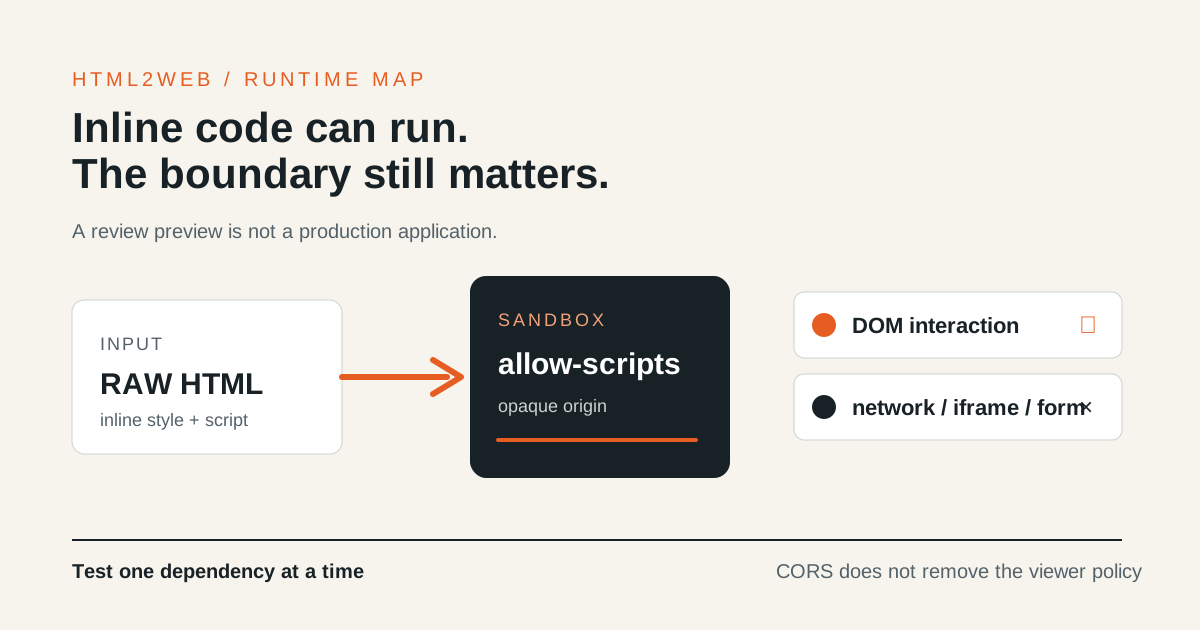
To check whether JavaScript works in an HTML2WEB share link, do not reduce the
answer to “yes” or “no.” Separate the document context from the resources it
needs. The current viewer runs inline HTML in an opaque origin with
sandbox="allow-scripts"; it is not ordinary hosting that shares your app’s
cookies or external network.
The link is a short-lived review preview. It does not replace an application that needs login, payments, live APIs, or a permanent URL.
The current HTML viewer boundary
| Item | Raw HTML preview | What to check |
|---|---|---|
Inline <style> |
Included in the execution path | Verify the intended layout and styles |
Inline <script> |
Included in the execution path | Test DOM interaction with synthetic data |
External <script> and CSS |
Do not assume they are allowed | Put required code in the single file or move to a real app |
fetch, XHR, and WebSocket |
Network connection is blocked | CORS settings alone cannot change the viewer policy |
| External fonts | Do not assume they are allowed | Use system fonts or inline assets |
| External images | Do not rely on them for raw HTML | Use small data: images or inline SVG when appropriate |
<iframe> |
Frame embedding is outside the boundary | Do not make an external embed a core feature |
<form> submission |
External submission is outside the boundary | Show the UI for review; process real submissions in an app |
HTML2WEB uses allow-scripts without allow-same-origin and applies an
additional CSP sandbox to the content response. As MDN’s iframe sandbox
reference
explains, a sandbox separates permissions; it does not recreate the execution
environment of an external service.
Start with an inline behaviour fixture
Do not paste an API key or customer data into a test. Start with a small, synthetic fixture:
<button id="toggle" type="button">Toggle state</button>
<p id="state">Waiting</p>
<script>
  document.querySelector('#toggle').addEventListener('click', () => {
    document.querySelector('#state').textContent = 'Interaction works';
  });
</script>
Publish this file first and verify the DOM change and style. Then add one item at a time and record the first step that differs from your expectation:
- An inline SVG or
data:image - An external image and web font
- An external script and a
fetchrequest - An iframe and a form action
Adding several dependencies at once hides the cause of a failure. The raw HTML
viewer runs with a connect-src 'none' boundary, so reading MDN’s CORS
guide does not
remove the viewer’s network restriction.
Markdown and HTML do not use the same resource policy
HTML2WEB renders Markdown into static HTML. Current tests allow HTTPS, data:,
and blob: images in Markdown, while raw HTML follows a narrower inline-asset
policy. Do not infer that an external image which works in Markdown will also
work in raw HTML. Record the content type and the exact resource URL together.
Move to a real app when you need these capabilities
- Login, cookies, or user-specific permissions
- A server API, live data, or a WebSocket connection
- Real payment, booking, or enquiry storage
- Several external scripts, fonts, maps, or chart modules as dependencies
- A permanent, searchable URL after review
For those cases, compare the lifetime and operating responsibility in the HTML sharing, conversion, and deployment guide, then use HTML2WEB as a review link before approval rather than as production hosting.
Compatibility checklist before sharing
- I tested inline style and script with a synthetic fixture first.
- I checked external images, fonts, scripts, and APIs one at a time.
- I understand that
connect-src 'none'remains even when a remote server has CORS headers. - I did not describe iframe, form, login, or cookie behaviour as a production capability.
- I separated raw HTML and Markdown resource policies.
- The shared copy contains no API key, personal data, or internal URL.
- I confirmed the actual expiry time and chose durable hosting for ongoing operation.
Before publishing, use the HTML source security checklist and the share-link protection guide to separate source safety from passwords, expiry, and noindex. The HTML to URL tool is designed to create a reviewable temporary URL while making this boundary explicit.