Does a password make an HTML link safe? Passwords, expiry, and noindex compared
Compare what passwords, expiry, and noindex actually protect on an HTML share link, and learn why secrets still should not be published.
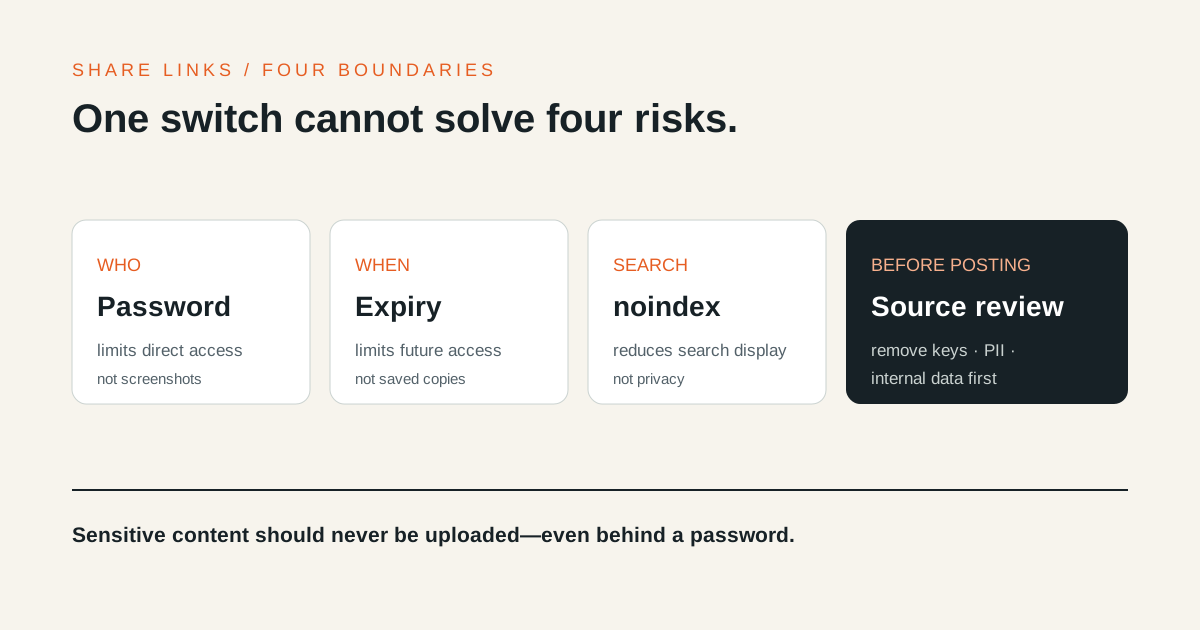
A password can stop someone who only has the URL from immediately reading a
shared HTML page. It cannot undo forwarding, screenshots, downloads, or the
publication of a secret. Safe temporary sharing starts by recognizing that a
password, expiry, and noindex solve three different problems.
The three controls are not interchangeable
| Control | What it prevents | What it cannot prevent |
|---|---|---|
| Password | Reading the content without the password | Password forwarding, saving after access |
| Expiry | New access after the chosen time | Copies saved before expiry |
noindex |
Appearance in search results | Direct visits by someone with the URL |
Google Search Central
describes noindex as a search exclusion rule. A page may still be linked and
visited directly. Confidential content needs access control, but access control
does not make every kind of content suitable for an external publishing service.
A password separates possession of the URL from permission to read
When an HTML2WEB share has a password, the HTML body is not returned before a successful unlock. The browser receives a limited unlock grant after the right password is entered. Changing or removing the password invalidates an older grant.
This is useful when a link is forwarded to the wrong conversation. Send the password through a different channel when practical. Putting the URL and password in the same message gives both values to anyone who receives that message.
An authorized viewer can still inspect, download, or capture what appears in the browser. Do not treat a password-protected web page as view-only content that cannot be copied.
Expiry reduces the exposure window, not copies already made
Choose only the time a review needs: 30 minutes for a meeting, for example, or 24 hours for same-day feedback. HTML2WEB’s free publishing flow offers 30 minutes, one hour, and 24 hours, with one hour as the default. After expiry, the viewer and content routes stop returning the original page.
Expiry controls whether the link can be opened in the future. It cannot delete a screenshot or file saved earlier. If you discover a mistaken publication, use the private management link to delete it immediately instead of waiting.
noindex means absent from search, not private
HTML2WEB shares are left out of sitemaps and served with noindex, nofollow,
and noarchive directives, including an X-Robots-Tag response header. This
keeps temporary review output from behaving like normal indexable content.
The URL still exists on the internet. It can remain in chat history, email,
browsing history, or a screenshot. noindex is not equivalent to workspace
authentication or document permissions.
An isolated viewer is not a confidentiality control
HTML2WEB runs shared HTML in an isolated viewer and restricts external network dependencies. That boundary reduces the risk of the document’s code mixing with the host interface. It does not encrypt the content or stop an authorized viewer from sharing it again.
Each control answers a different question:
- Who should be able to open it now? → password
- How long should it remain available? → expiry
- Should search engines list it? →
noindex - Is this content suitable for any external service? → pre-publish review
Choose a combination by situation
Public-safe mockups and reports
Use the default noindex behavior and the shortest practical expiry. Open the
result in a private window, then send the expiry time with the URL.
Review material for a limited audience
Use a password and short expiry together. Send the password separately where practical, and delete the share through its private management link when the review ends.
API keys, credentials, personal data, and confidential customer material
Do not publish them. A password-protected link still uploads content to an external system. Keep secrets inside an approved storage and access process, following guidance such as the OWASP Secrets Management Cheat Sheet.
One-minute pre-publish check
- Remove API keys, tokens, passwords, and connection strings.
- Check names, email addresses, phone numbers, customer names, and internal URLs.
- Identify the audience and the time they actually need.
- Send a password separately for limited material.
- Test the lock and expiry information in a private window.
- Keep the management URL and token out of the recipient’s message.
Create a temporary link with the HTML-to-URL tool. If the
page works locally but loses CSS or images after sharing, start with the
file:// and local asset guide.
Safe sharing is not about enabling every control. It is about removing content that should not leave its approved system, then opening the remaining page to the right people for the shortest useful time.